A heads-up way to work
Aim the camera at the working field while positioning the display for a more upright, comfortable head position.
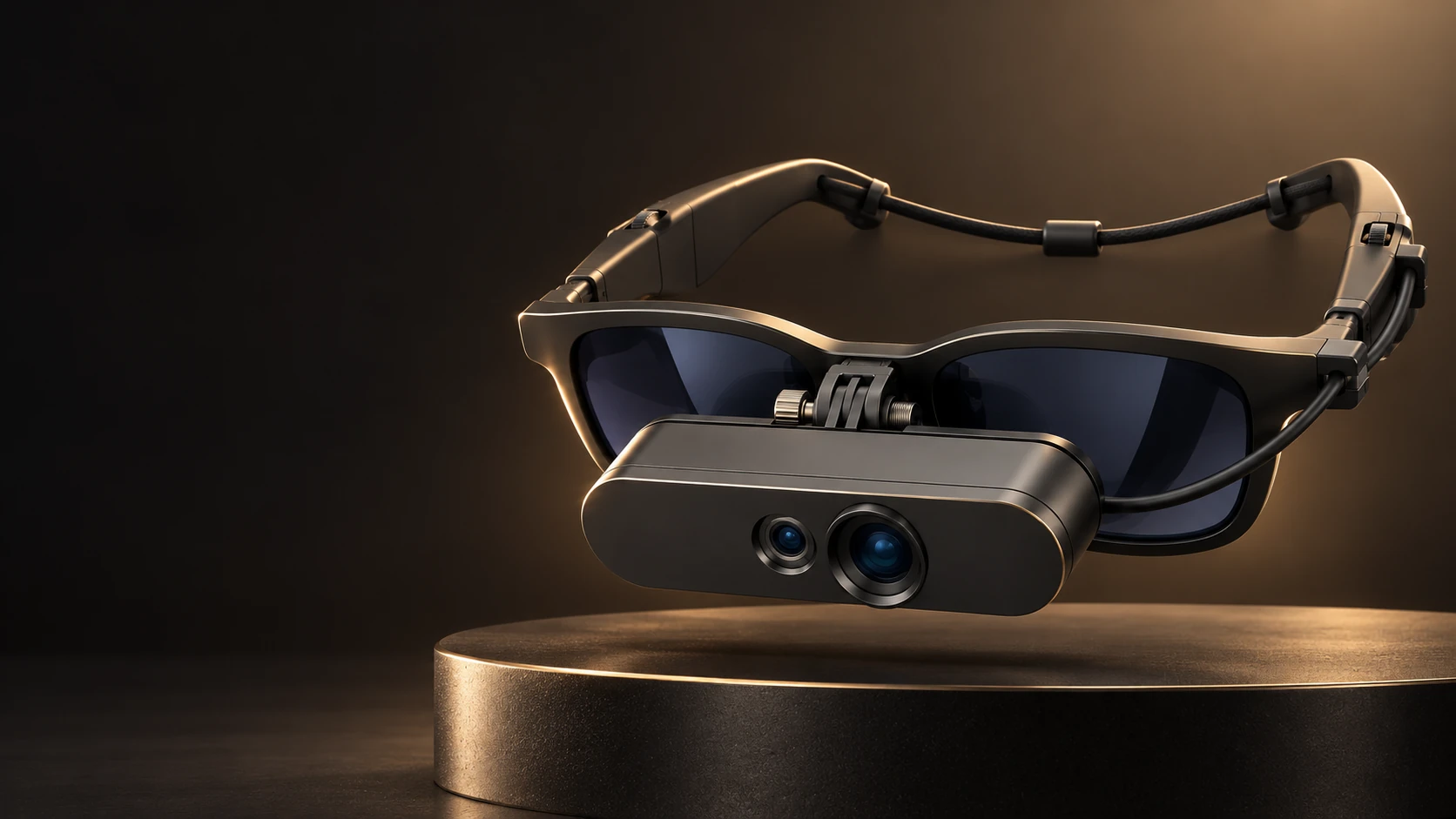
AUGMENTEYE / THE NEXT GENERATION OF AR LOUPES
Go beyond conventional magnification. Up to 30× zoom, voice commands and AI analysis bring a connected clinical view to your glasses—with snapshots, recordings and 2D/3D display modes.
THE AUGMENTEYE EXPERIENCE
A closer look at what comes next.Explore a new perspective on clinical visualization—from magnification and voice control to capture, AI-assisted review and a heads-up way to work.
A NEW STANDARD FOR YOUR WORKFLOW
More than a closer look.You bring the skill. AugmentEYE brings a new way to see, capture and review your work. Experience magnification that adapts, a view positioned around you, and digital tools that keep useful details close.
Aim the camera at the working field while positioning the display for a more upright, comfortable head position.
Move from an overview to a closer look with up to 30× zoom, adjusted for the task in front of you.¹
Use supported voice commands for zoom and capture, with less need to reach away from your workflow.²
Capture a frame, revisit a recording or request AI image analysis for professional review.²
THE AR ADVANTAGE
See what changes.Make the move from optical magnification to a connected camera-and-display workflow. Keep the detail—and gain new ways to control, capture and review it.
| What matters in practice | Conventional optical loupes | AugmentEYEAR LOUPES |
|---|---|---|
| The viewing experience | Direct view through optical telescopes | A live camera view in your personal AR display |
| Posture & positioning | Viewing position follows optical alignment and working distance | Position the camera and display view around your working posture |
| Magnification | Often fixed; variable-magnification models also exist | Adjustable camera zoom up to 30×¹ |
| Hands-free digital control | Not part of passive optical viewing | Voice commands for supported zoom and capture actions² |
| Snapshots & recordings | Require a separate camera or accessory | Capture stills and video in the viewing software² |
| AI image analysis | A separate software workflow | On-demand analysis of selected images or scenes² |
| Display flexibility | Direct optical view | Adjustable brightness and switchable 2D / 3D modes³ |
| Connected setup | Passive optics; no computing platform needed | Camera, glasses and console connect to a compatible host |
Comparison with conventional optical loupes without digital accessories. Ergonomic and variable-magnification optical loupes are also available. Feature details below.¹²³
See the difference in the work you do.
YOUR COMFORT BELONGS IN THE PICTURE
Long procedures demand your attention. Your viewing setup should support the way you work.
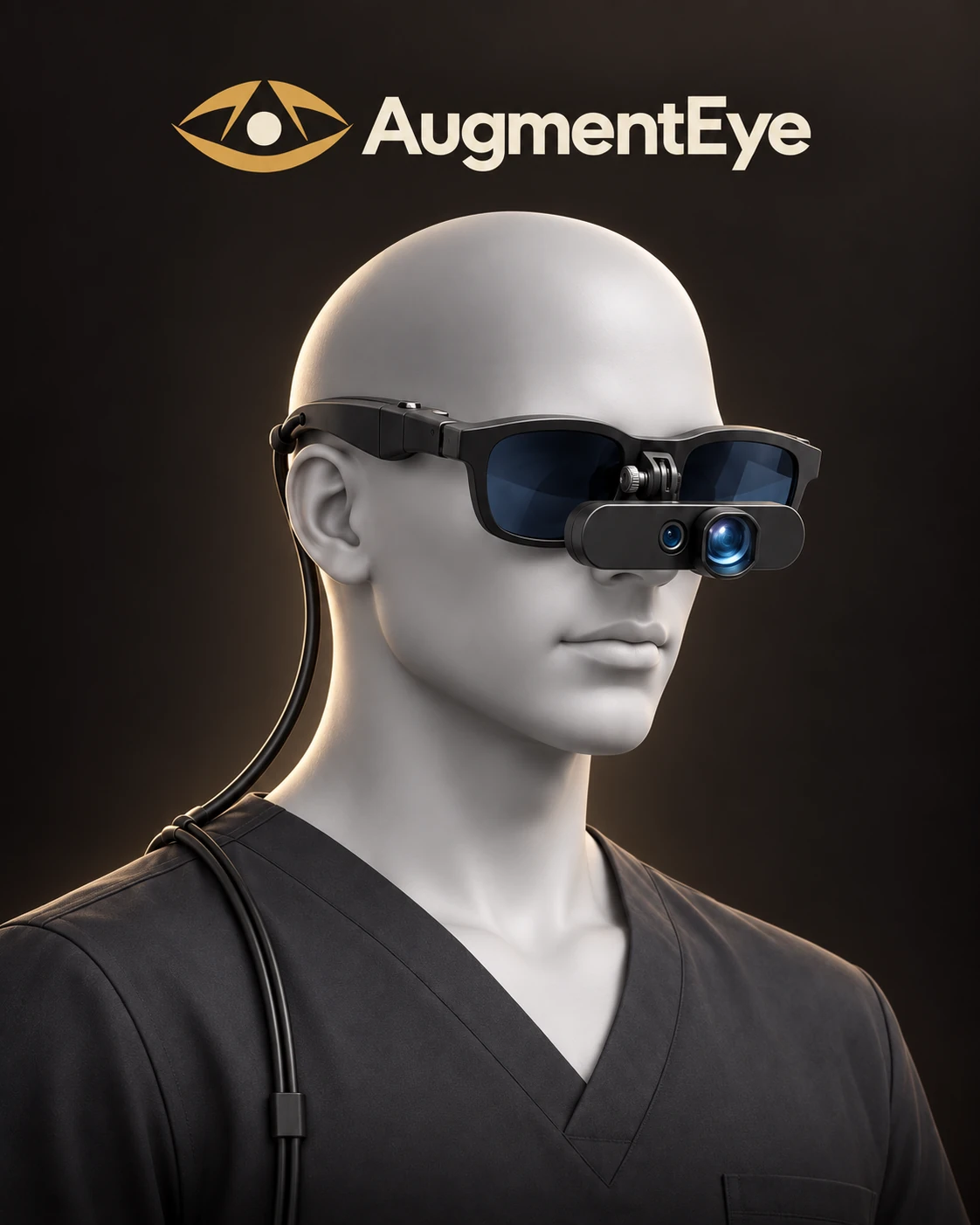
Let the camera capture the field while the glasses bring it into view. Adjust the capture angle to support a more upright head position.
Enlarge fine details and adjust display brightness to your preference. Find the viewing settings that feel comfortable for you.
Bring live viewing, voice-enabled capture and image review into one connected workflow, with less need to reach for separate controls.
Comfort depends on fit, setup and the task. Evaluate your working position and visual comfort in a demonstration.
YOUR SPECIALTY. YOUR ADVANTAGE.
Designed around the detail of your work.A close view matters everywhere. Discover how magnification, hands-free actions and digital capture can come together in your clinical and educational workflow.
HAIR TRANSPLANT
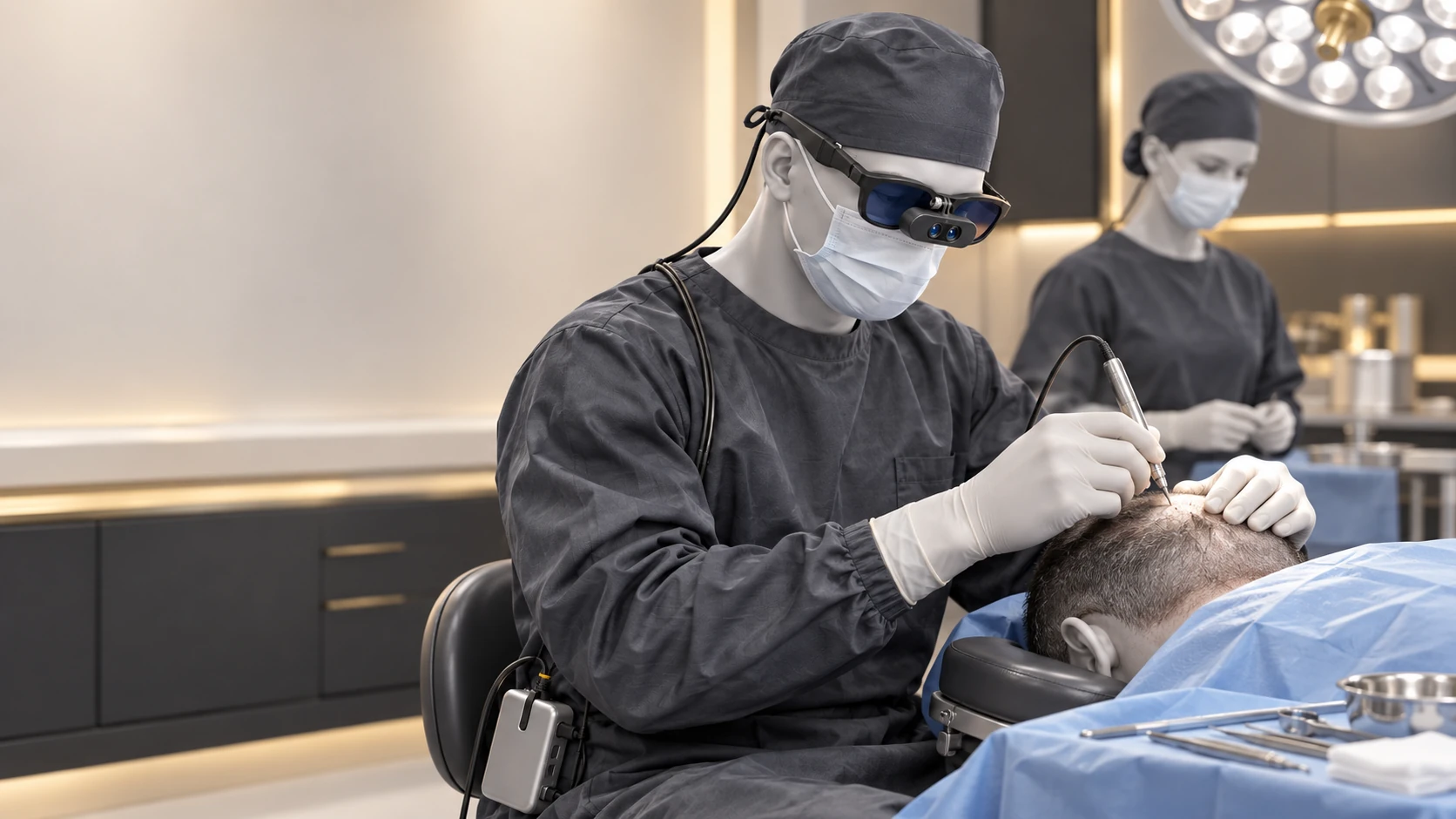
Bring adjustable magnification to donor-area assessment, graft handling and implantation workflows. Keep the camera view in your glasses and preserve key moments for review.
Enlarge the selected working field and adjust the view as your attention moves between broader assessment and detailed graft work.
Use supported voice actions to change zoom or capture a frame while staying engaged with the procedure.
Save stills and recordings for case review, team training and discussion of selected images with AI assistance.
Explore AugmentEYE for hair transplant.
Select camera access, lighting and working distance for the intended procedure. Specialty examples illustrate workflows; suitability is assessed for the chosen configuration.
THE INTELLIGENCE BEHIND THE VIEW
Six capabilities. One connected experience.Go beyond looking closer. Bring magnification, control, AI-assisted review and media capture into the way you work.
Up to 30× zoom
Adjust magnification as the task changes. Bring the selected camera view closer without changing your loupe optics.
Magnification depends on the system configuration.¹Voice commands
Access supported zoom, snapshot and recording actions by voice, so you can stay engaged with the working field.
ZOOM · SNAPSHOT · RECORD — supported actions²AI analysis
Request analysis of a selected image or scene to support review, education and discussion. Your professional judgment stays at the center.
AI-assisted review; not autonomous diagnosis.²Snapshots
Capture a still from the selected view for case documentation, follow-up conversations and teaching.
Capture tools in the configured viewing application.²Recordings
Record selected sequences for case debriefs and team education. Give useful details a life beyond the live view.
For case debriefs, team learning and technique review.²2D / 3D display
Switch display modes for compatible content and adjust brightness to your preferred viewing level.
2D-to-3D conversion is currently in beta.³TECHNOLOGY AT A GLANCE
Powerful viewing and digital tools, with mounting choices that fit your workflow.
1 Zoom and apparent screen size depend on camera, optics, software and viewing conditions. Confirm performance for your demonstrated configuration.
2 Voice, AI and capture functions depend on the installed software. AI output requires professional review.
3 2D-to-3D conversion is currently in beta. Display modes and capture format depend on configuration.
CHOOSE YOUR AUGMENTEYE
One platform. A fit for your workflow.Start with the way you work.
Find the camera position that works for you.
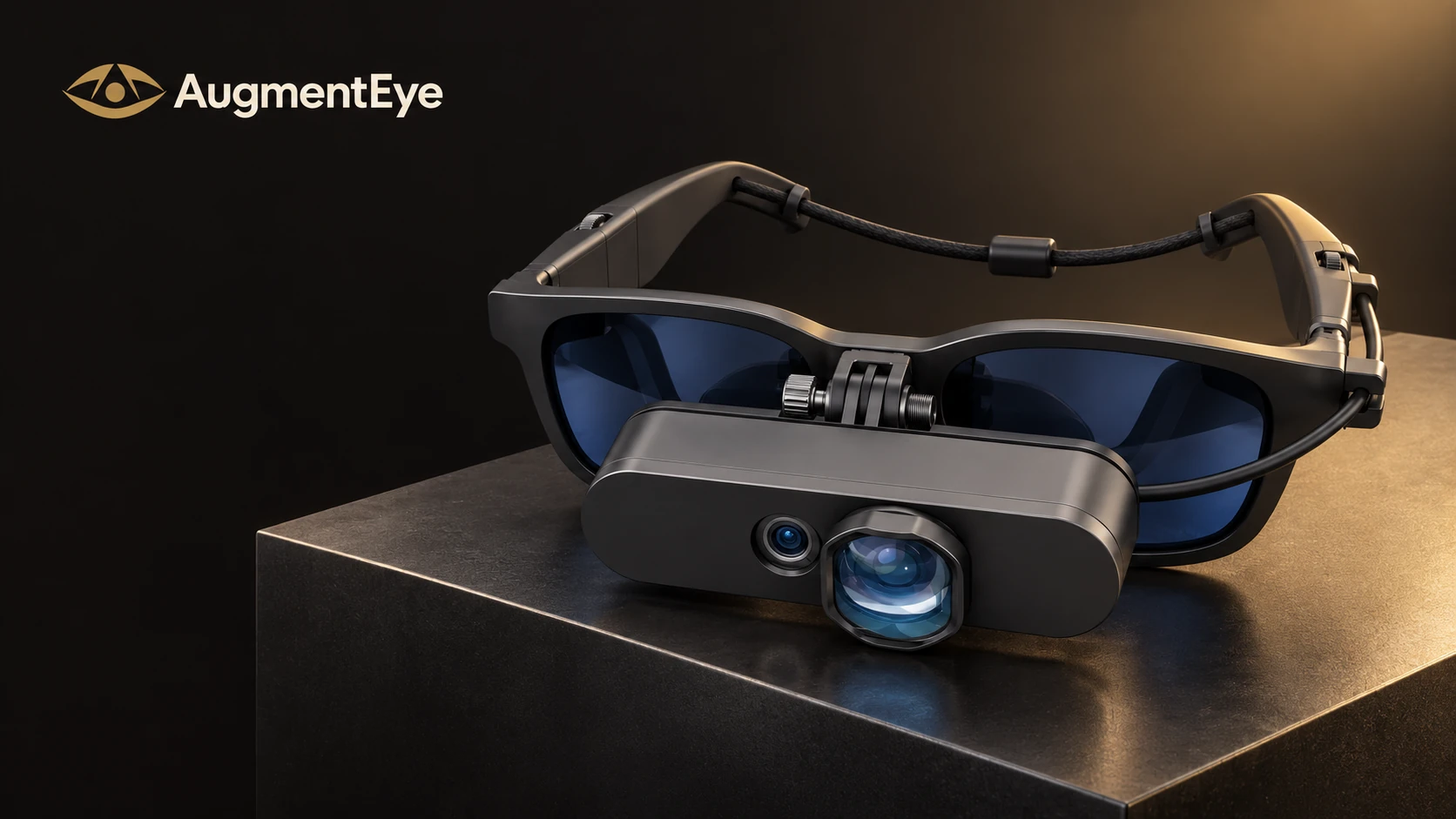 COMPACT MOUNT / PRODUCT VISUALIZATION
THE STREAMLINED SETUP
Bring camera viewing, zoom and capture together in a close-mounted setup. A direct bridge connection keeps the camera near the glasses for a streamlined clinical profile.
Not sure where to start? Let your specialty, working distance and preferred posture guide the choice.
BEFORE YOU MAKE THE MOVE
Choose a viewing experience
that fits your practice.
AugmentEYE combines magnified camera viewing with voice commands, AI-assisted image review, snapshots, recordings and 2D/3D display modes. It gives you a connected visualization workflow as well as flexible camera positioning. Conventional optical loupes remain a simpler, direct-view option; your demonstration lets you compare the experience for your own work.
The camera captures the working field while the glasses display the image. Adjusting camera angle and position can help you work with a more upright head position instead of matching your eye line to the field. Fit, setup, procedure and individual comfort matter; a demonstration is the best way to evaluate the difference.
AugmentEYE gives you control over magnification and display brightness so you can find a comfortable view. Visual comfort also depends on fit, display settings, session length and your own vision. Try the display in a demonstration and find the settings that work for you.
Up to 30× is the stated system capability. The achieved magnification and image quality depend on the camera, optics and software. We can review the demonstrated configuration, working distance and included lens options as part of your inquiry.
Supported voice actions include camera zoom, snapshots and recording. AI can analyze selected imagery for review and discussion. Exact commands, supported analysis tasks and availability depend on the installed software. AI output requires professional verification and does not replace clinical judgment.
2D/3D describes the display modes. Native stereoscopic capture depends on the camera and software configuration; switching the display mode alone does not establish it. The 2D-to-3D conversion feature is currently beta.
The current AugmentEYE system connects the camera and glasses to a body-worn console, then to a separate compatible computing platform. The demonstration can cover fit, cable management and the host requirements for your setup.
The goal is to help you evaluate the view, working posture and digital workflow for your specialty. Ask to compare zoom, supported voice controls, AI image analysis, snapshots, video, 2D/3D modes and mounting options. Your inquiry can also include configuration-specific pricing and accessory details.
CLINICIAN PERSPECTIVES
The experience behind the expertise.Clinician testimonials are coming soon. In the meantime, discover the AugmentEYE experience in a demonstration tailored to your specialty.
A clinician’s perspective.
Coming soon.
A clinician’s perspective.
Coming soon.
A clinician’s perspective.
Coming soon.
YOUR NEXT ADVANTAGE STARTS WITH A CLOSER LOOK
See the zoom. Try voice control. Explore AI, capture and 2D/3D.
Discover what AugmentEYE can bring to your specialty.